Keep track of everything you love: movies, series, anime, games, books, music, board games, and so much more, in one fully customizable, offline app.

License: MIT Latest release Platform: Windows, macOS, Linux Ko-fi support
Download latest release View on GitHub
01The project

# About

Logia is an offline-first desktop app designed to track and organize everything you love. It starts as a clean, blank canvas with zero predefined categories, allowing you to build custom collections tailored exactly to your needs: movies, video games, board games, theater, music, or even personal travel logs and restaurants.

To save time, you can enable optional API enrichment per collection. Logia automatically pre-fills public metadata (cover art, creators, genres, release dates) using sources like TMDB, AniList, IGDB, MusicBrainz, and more. Any API keys you provide stay locally on your machine.

Public details are automated, but your personal experience remains entirely yours: ratings, notes, reviews, progression, and logged dates are yours to fill or leave empty. Everything is stored locally in a private SQLite database on your machine.
0%
Offline & private
0
API enrichment sources
0
Built-in themes
MIT
Open source license
02What's inside

# Features

Dynamic Collections

  • Blank Canvas: No pre-set clutter. Start from scratch and create only the collections you actually need
  • Adaptive Field Labels: Tailor dynamic fields to match each collection type (e.g., rename Creator to Director for movies, or Progression to Hours or Pages)
  • Track Anything: Perfect for movies, series, anime, books, video games, board games, theater, music, or personal logs like restaurants and trips

Offline Core & API Enrichment

  • 100% Offline & Private: Powered by a local SQLite database. No required account, no cloud tracking
  • Smart Pre-filling: Connect free external APIs (TMDB, AniList, TVMaze, RAWG, IGDB, MusicBrainz, iTunes, OMDb, Jikan) to fetch media metadata in seconds
  • Flexible Setup: Some APIs work out of the box, while others can be easily configured with your own keys in the settings
  • Personal Experience Control: Metadata pre-fills automatically, while personal data (notes, reviews, ratings, watch/play dates, progression) stays strictly under your manual control

Dual Status System

  • Progress status: Not Started, In Progress, On Hold, Completed, Abandoned
  • Media status: Upcoming, Ongoing, Hiatus, Completed, Cancelled, Abandoned
  • Track both independently for granular organization

Search & Filters

  • Full-text search (FTS5) across title, creator, and synopsis/review
  • Advanced filtering by status, collection, rating, and date
  • Multi-criteria sorting
  • Two view modes: grid and list

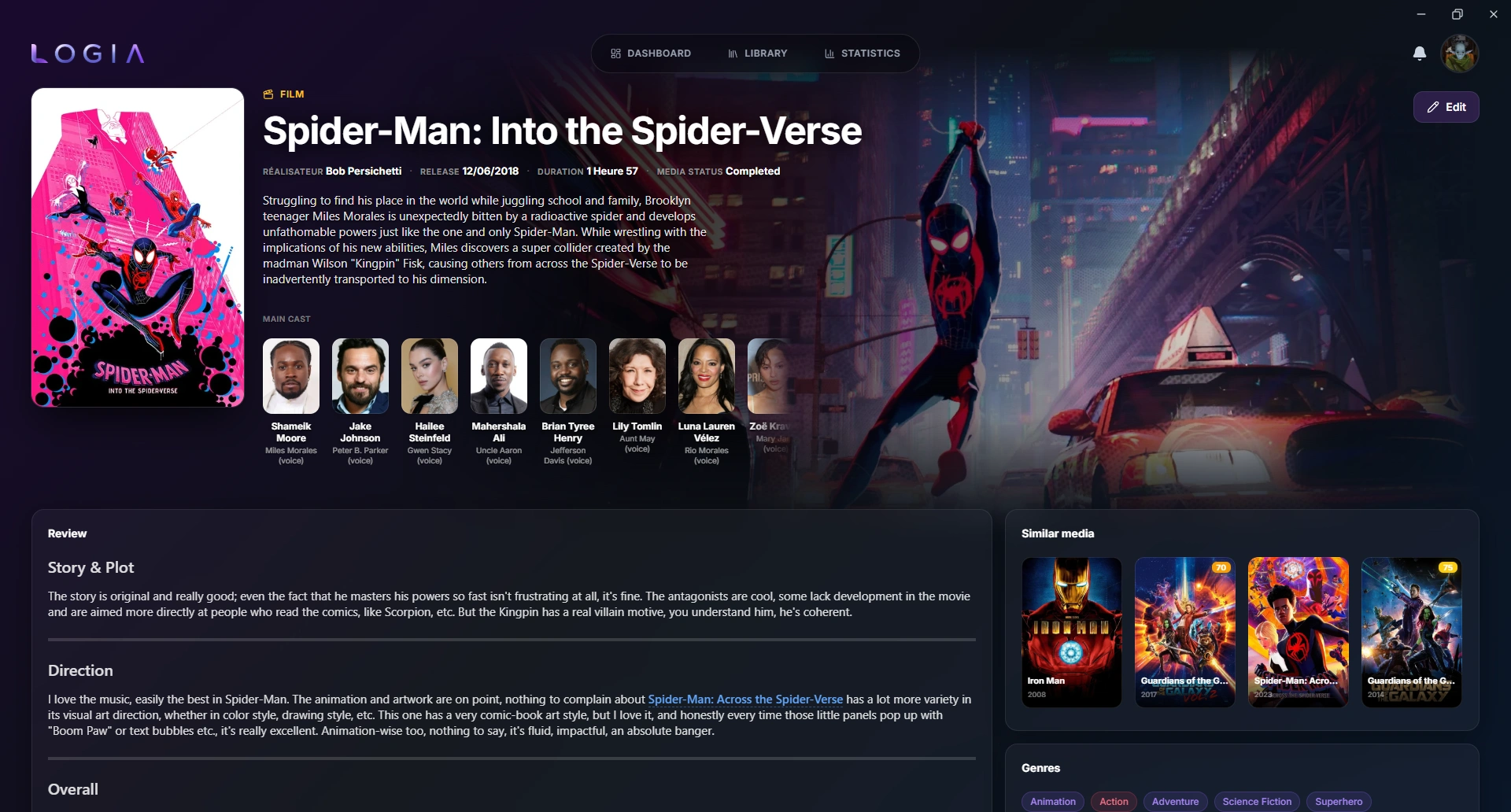
Detailed Media View

  • Synopsis and review written with a Markdown editor (Gravity UI)
  • Customizable progression tracking (chapters, episodes, hours, percent, etc.)
  • Experience entries: track multiple experiences per media with date, version, and language (with flag indicators)
  • Genre tagging system
  • 100-point rating scale
  • Similar media detection based on shared genres

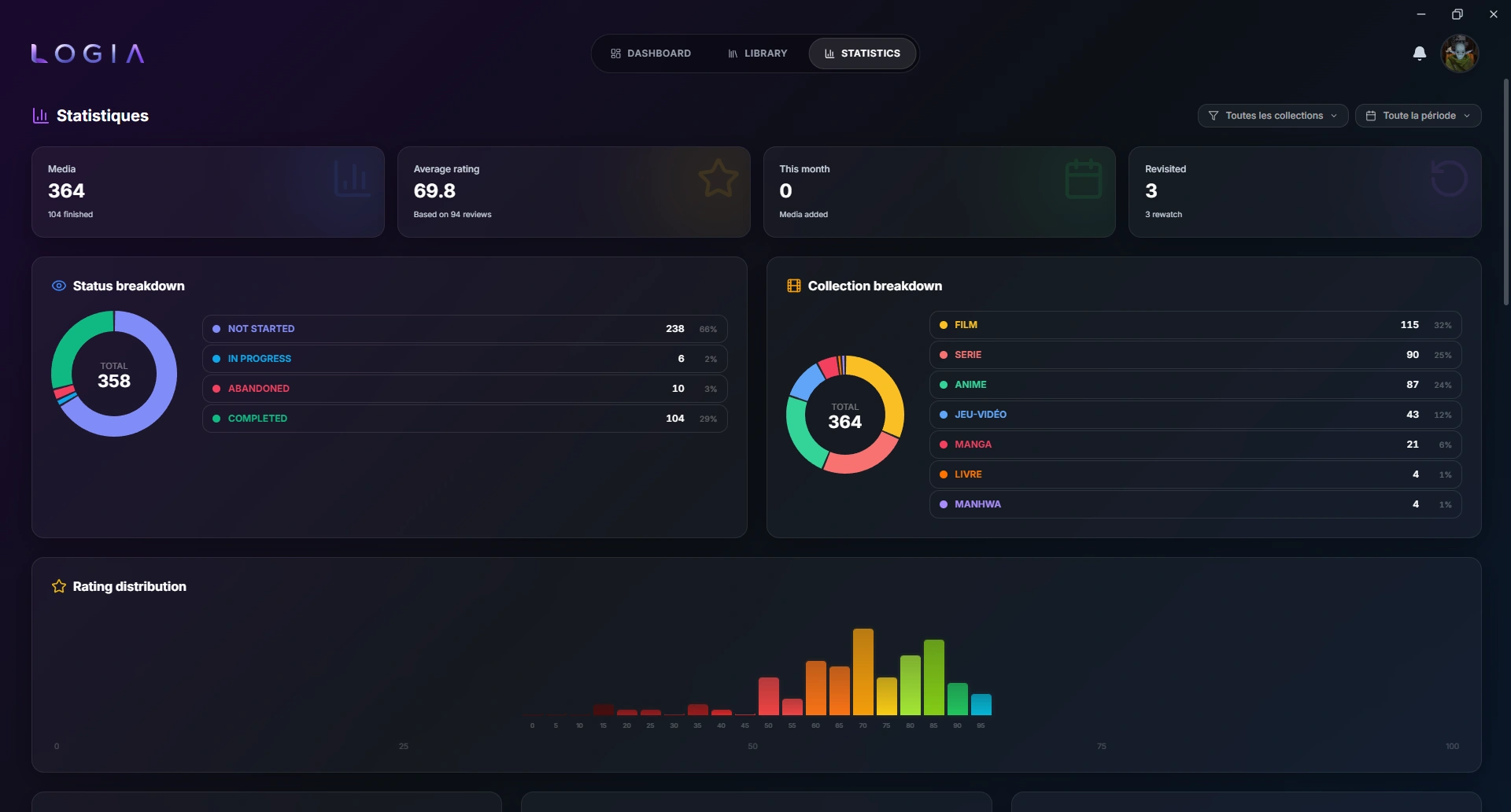
Statistics

  • Breakdown by status and collection
  • Rating distribution
  • Per-collection averages
  • Best and worst rated media
  • Filters by collection and time period

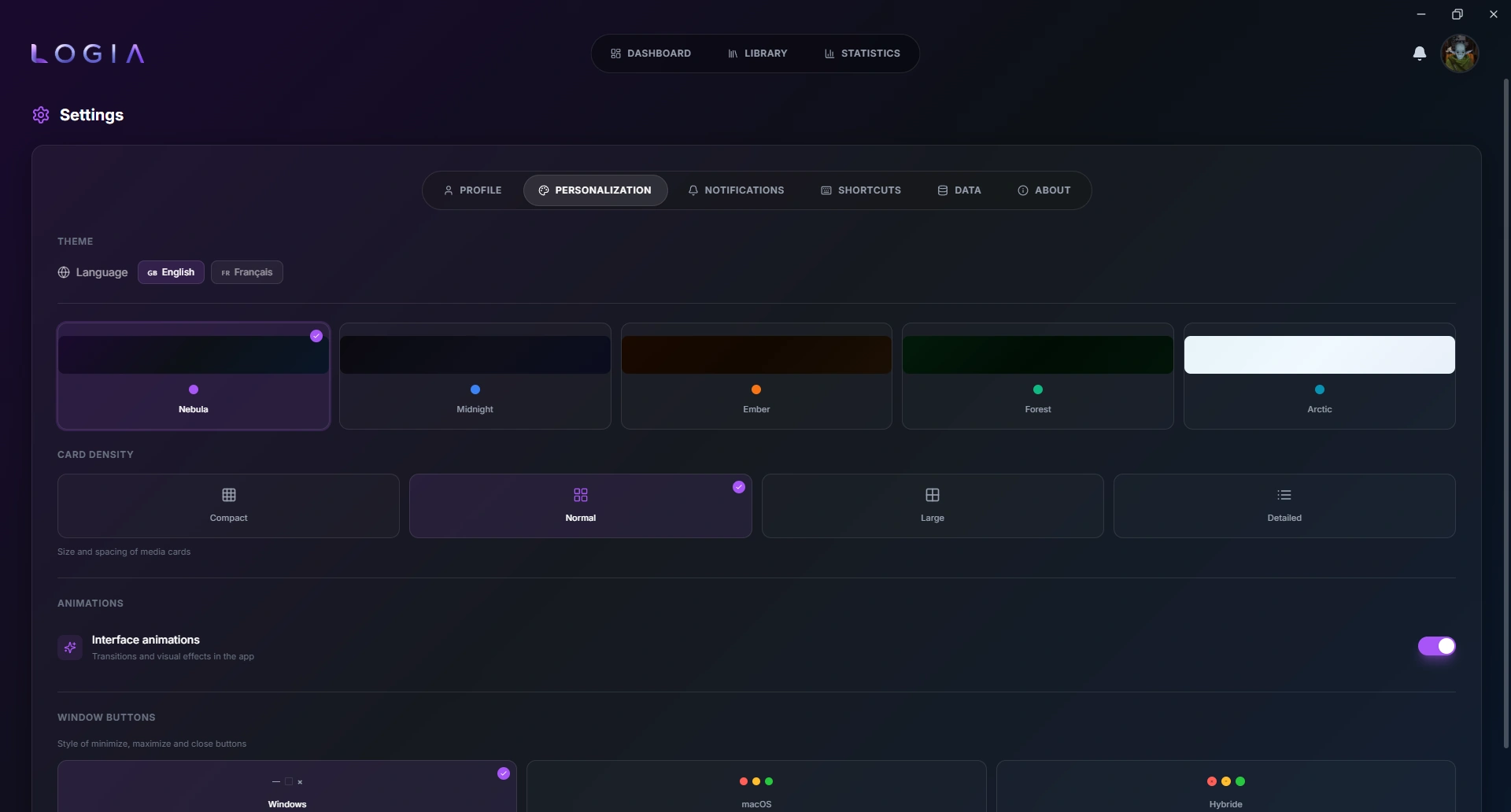
Personalization

  • 5 themes: Nebula, Midnight, Ember, Forest, Arctic
  • 4 card densities: Compact, Normal, Large, Detailed
  • Window button styles: Windows, macOS, Hybrid
  • Toggleable interface animations
  • Available in English and French

Data Export & Import

  • Text export: Markdown, CSV, TSV (configurable columns, delimiter, rating scale)
  • ZIP backup (3 levels): database only, + images, or full backup
  • ZIP import: overwrite or merge with skip-duplicates
  • CSV import: column mapping, status mapping, auto-create collections and genres
  • Profile merge: import data from another profile

Other

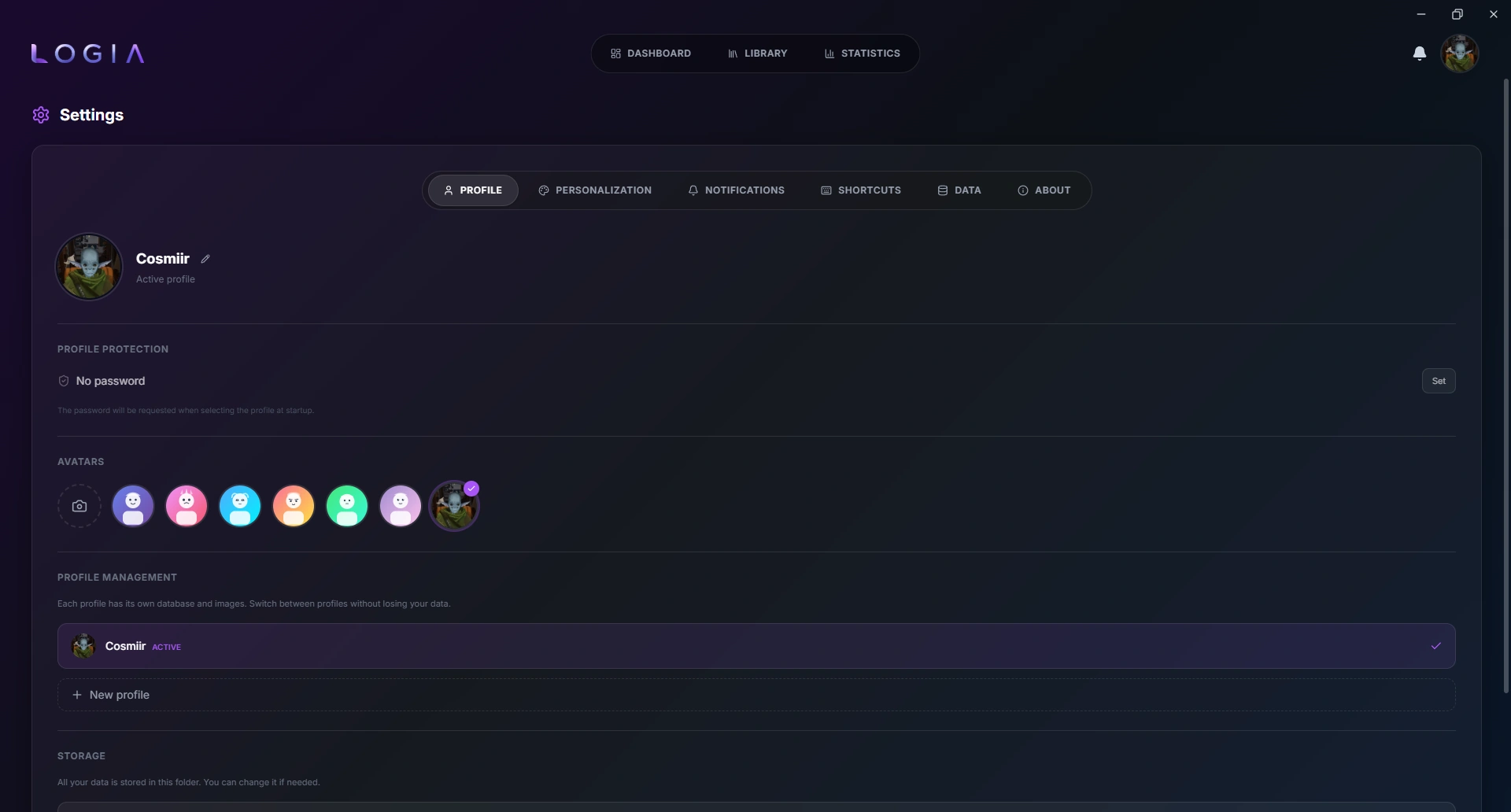
  • Multiple profiles with independent databases per profile
  • Per-profile password protection
  • Keyboard shortcuts
  • Integrated notification system
  • Configurable storage directory
03Take a look

# Screenshots

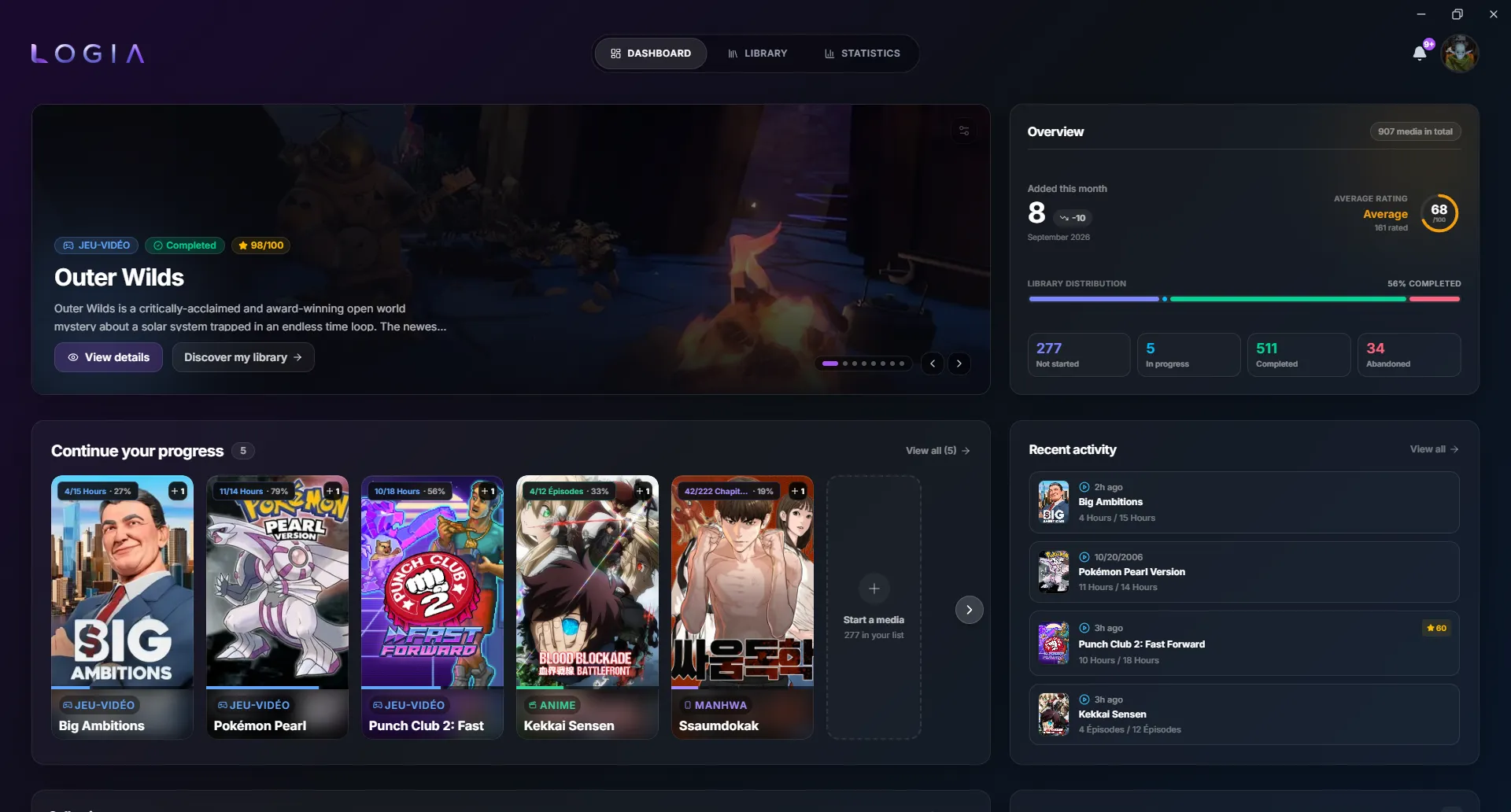
Logia dashboard view
Dashboard
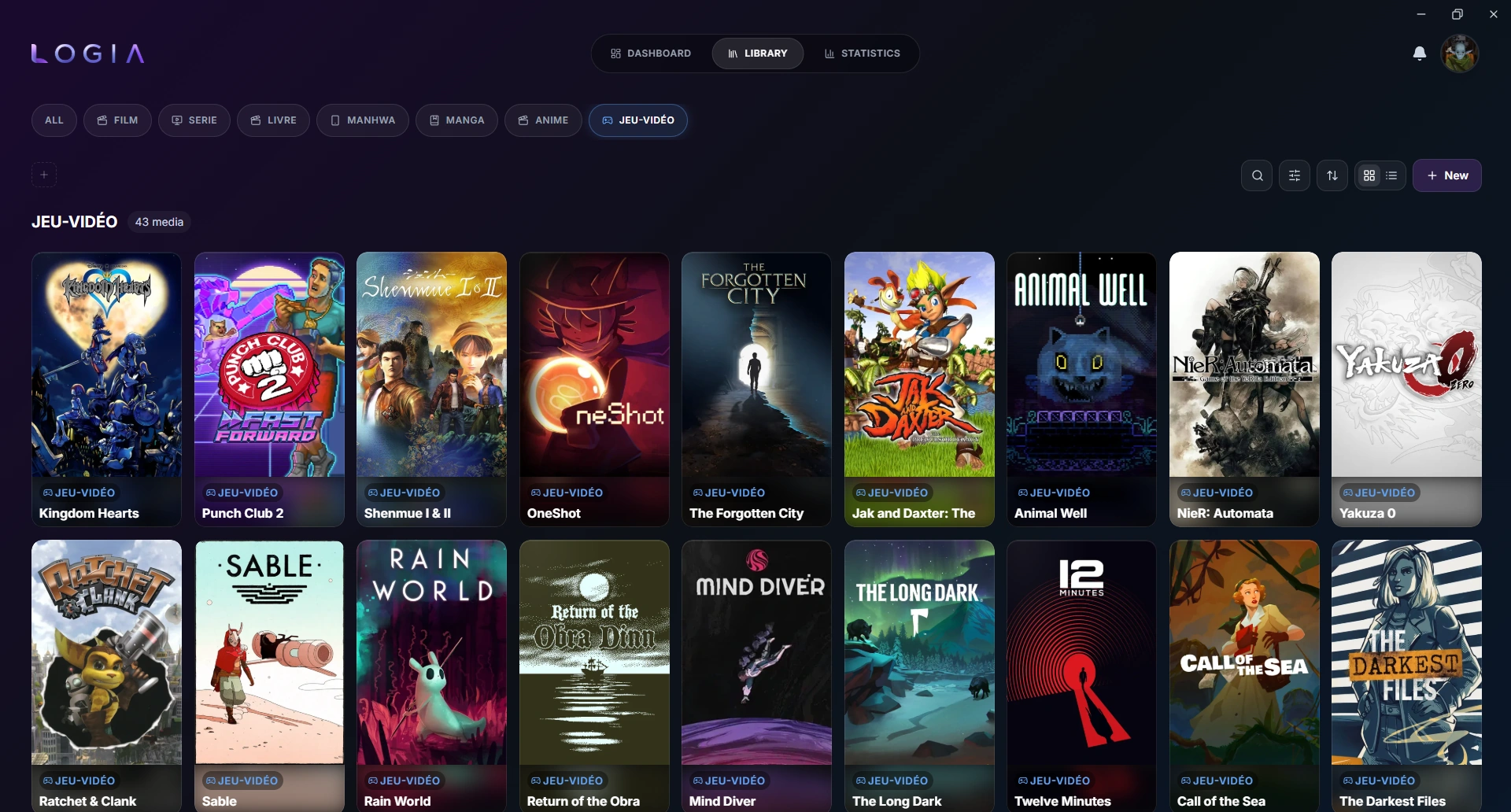
Logia library view
Library
Logia media detail view
Media Detail
Logia statistics view
Statistics
Logia personalization settings
Personalization
Logia profile settings
Settings
04Get started

# Installation

Direct download (recommended)

Visit the Releases page and download the installer for your platform:

PlatformFile
WindowsLogia_x.x.x_x64-setup.exe (NSIS) or Logia_x.x.x_x64_en-US.msi
macOSLogia_x.x.x_universal.dmg (Intel + Apple Silicon). Not code-signed: on first launch, right-click → Open (or xattr -dr com.apple.quarantine /Applications/Logia.app) to bypass Gatekeeper.
LinuxLogia_x.x.x_amd64.AppImage (recommended, supports auto-updates), .deb, or .rpm

From source

Prerequisites:

# Clone the repo
git clone https://github.com/Cosmiir/Logia.git
cd Logia

# Install dependencies
npm install

# Run in development
npm run tauri dev

# Build for production
npm run tauri build
05Under the hood

# Tech Stack

Frontend
React 19 + TypeScript + TailwindCSS 4
Backend
Tauri 2.10 (Rust)
Database
SQLite (WAL + FTS5)
State
Zustand 5 + TanStack Query 5
Animations
Framer Motion 11
06Open & free

# License & Support

Distributed under the MIT License. See LICENSE for details.

Copyright (c) 2026 Cosmiir

Logia is free and open source, built and maintained in my spare time. If it's useful to you, a coffee helps keep it going:

Support Logia on Ko-fi